项目开发中为了能更方便的调试,学习并编写此上位机用来调试和升级
工程采用QT6编写,由于初次使用,基本上都是使用的内置组件完成,目前只实现了一些基本功能
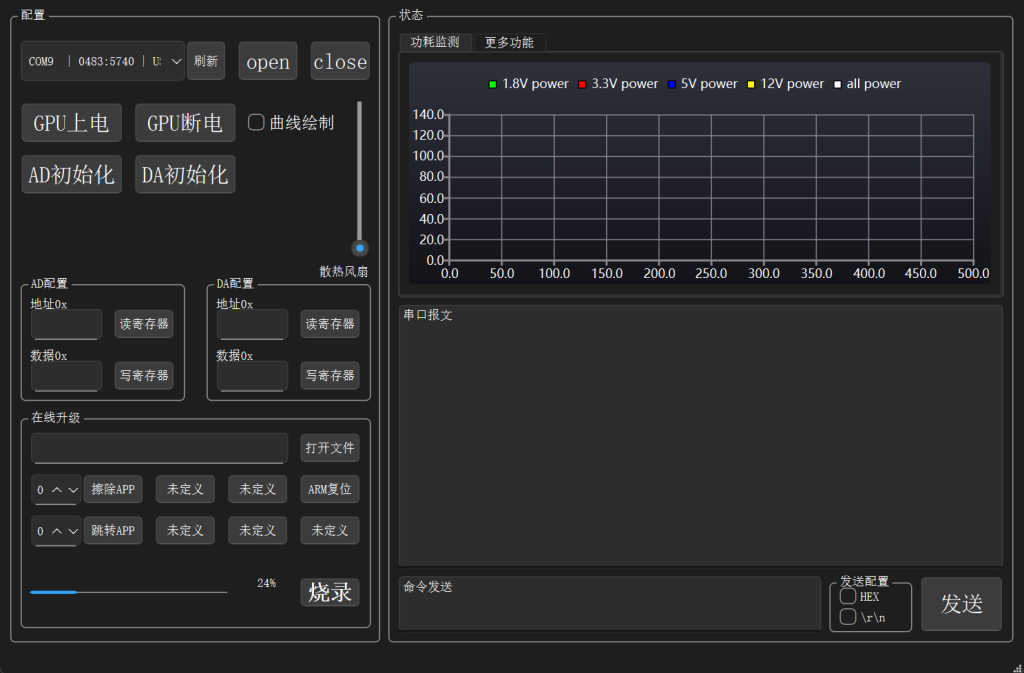
使用串口通信,开关串口、刷新设备,基本操作代码如下:
QSerialPort *serialPortInst = new QSerialPort();
QStringList  serialPortList;

/*
 * 配置串口默认参数
 */
void MainWindow::ConfigSerialPort()
{
    serialPortInst->setBaudRate(921600,QSerialPort::AllDirections);  //波特率115200
    serialPortInst->setDataBits(QSerialPort::Data8);                 //数据8位
    serialPortInst->setFlowControl(QSerialPort::NoFlowControl);      //无流控制
    serialPortInst->setParity(QSerialPort::NoParity);                //无校验位
    serialPortInst->setStopBits(QSerialPort::OneStop);               //一停止位

    connect(serialPortInst,SIGNAL(readyRead()),this,SLOT(ReceiveSerialPortData()));
}

void MainWindow::OpenSerialPort()
{
    QString curSerialPort;

    int index = ui->comboBox_port->currentIndex();
    if(index < 0) {
        qDebug()<<"无可用串口";
        ui->textBrowser_logout->append("无可用串口");
        return;
    }
    curSerialPort = serialPortList[index];
    serialPortInst->setPortName(curSerialPort);

    if(serialPortInst->isOpen())
    {
        serialPortInst->clear();
        serialPortInst->close();
    }

    if(!serialPortInst->open(QIODevice::ReadWrite))
    {
        qDebug()<<curSerialPort<<"串口打开失败";
        ui->textBrowser_logout->append("串口打开失败");
        return;
    }
    qDebug()<<curSerialPort<<"串口打开成功";
    ui->textBrowser_logout->append("串口打开成功");
}

void MainWindow::CloseSerialPort()
{
    if(serialPortInst->isOpen())
    {
        serialPortInst->clear();
        serialPortInst->close();
    }
    qDebug()<<"关闭串口";
    ui->textBrowser_logout->append("关闭串口");
}

QByteArray MainWindow::SerialPortUint8ArrayToQByteArray(const uint8_t* data, int length)
{
    return QByteArray(reinterpret_cast<const char*>(data), length);
}

void MainWindow::SerialPortTransmit(const uint8_t* data, int length) {
    if(serialPortInst->isOpen()) {
        QByteArray qByteData = SerialPortUint8ArrayToQByteArray(data, length);
        serialPortInst->write(qByteData);
        serialPortInst->flush();
        serialPortInst->waitForBytesWritten();
    } else {
        qDebug()<<"串口未打开";
        ui->textBrowser_logout->append("串口未打开");
    }
}

void MainWindow::SerialPortTransmitByteArray(const QByteArray data) {
    if(serialPortInst->isOpen()) {
        serialPortInst->write(data);
        serialPortInst->flush();
        serialPortInst->waitForBytesWritten();
    } else {
        qDebug()<<"串口未打开";
        ui->textBrowser_logout->append("串口未打开");
    }
}

int MainWindow::FindSerialPort()
{
    QStringList serialPortNameList;
    serialPortList.clear();
    serialPortNameList.clear();

    QList <QSerialPortInfo> const serialInfoList = QSerialPortInfo::availablePorts();

    // 计算最大端口名长度用于对齐
    int maxPortNameLength = 0;
    for (const QSerialPortInfo &portInfo : serialInfoList) {
        maxPortNameLength = qMax(maxPortNameLength, portInfo.portName().length());
    }

    for(int i = 0; i < serialInfoList.size(); i++)
    {
        const QSerialPortInfo &portInfo = serialInfoList[i];
        serialPortList << portInfo.portName();

        // 获取VID和PID
        QString vid = portInfo.hasVendorIdentifier() ?
                          QString::number(portInfo.vendorIdentifier(), 16).toUpper() : "----";
        QString pid = portInfo.hasProductIdentifier() ?
                          QString::number(portInfo.productIdentifier(), 16).toUpper() : "----";

        // 格式化VID和PID为4位十六进制数
        vid = vid.rightJustified(4, '0');
        pid = pid.rightJustified(4, '0');

        // 对齐端口名
        QString portName = portInfo.portName().toUpper();
        portName = portName.leftJustified(maxPortNameLength, ' ');

        // 构建显示字符串:COMx | <VID>:<PID> | 描述
        QString displayText = QString("%1 | %2:%3 | %4")
                                  .arg(portName)
                                  .arg(vid)
                                  .arg(pid)
                                  .arg(portInfo.description());

        serialPortNameList << displayText;

        qDebug() << "Port:" << displayText;
    }

    // 过滤不需要的设备
    for(int i = 0; i < serialPortNameList.size();)
    {
        const QSerialPortInfo &portInfo = serialInfoList[i];
        QString description = portInfo.description();

        bool shouldRemove =
            description.contains("蓝牙链接上的标准串行") ||
            description.contains("Standard Serial over Bluetooth link") ||
            description.contains("Bluetooth", Qt::CaseInsensitive) ||
            (portInfo.hasVendorIdentifier() &&
             (portInfo.vendorIdentifier() == 0x0000 ||
              portInfo.vendorIdentifier() == 0xFFFF));

        if(shouldRemove) {
            serialPortNameList.removeAt(i);
            serialPortList.removeAt(i);
        } else {
            i++;
        }
    }

    ui->comboBox_port->clear();
    ui->comboBox_port->addItems(serialPortNameList);

    // 设置下拉列表的宽度
    updateComboBoxWidth();

    return serialPortNameList.size();
}
发布程序并生成EXE
(貌似以release生成的程序比debug稳定一些,并没有闪退过了)在构建项目时,需要选择release,再生成一次,即可得到release文件夹,位于项目build文件夹下
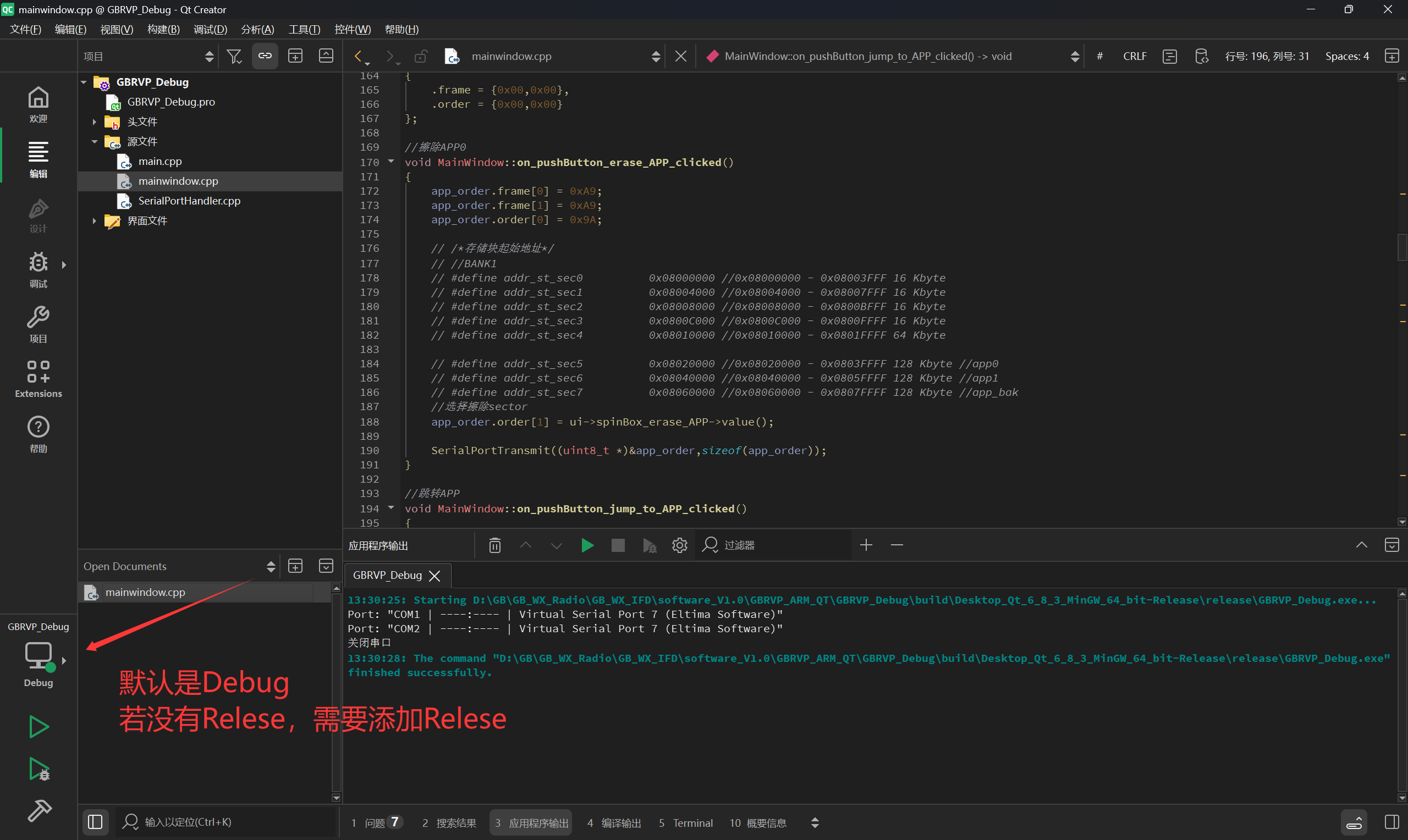
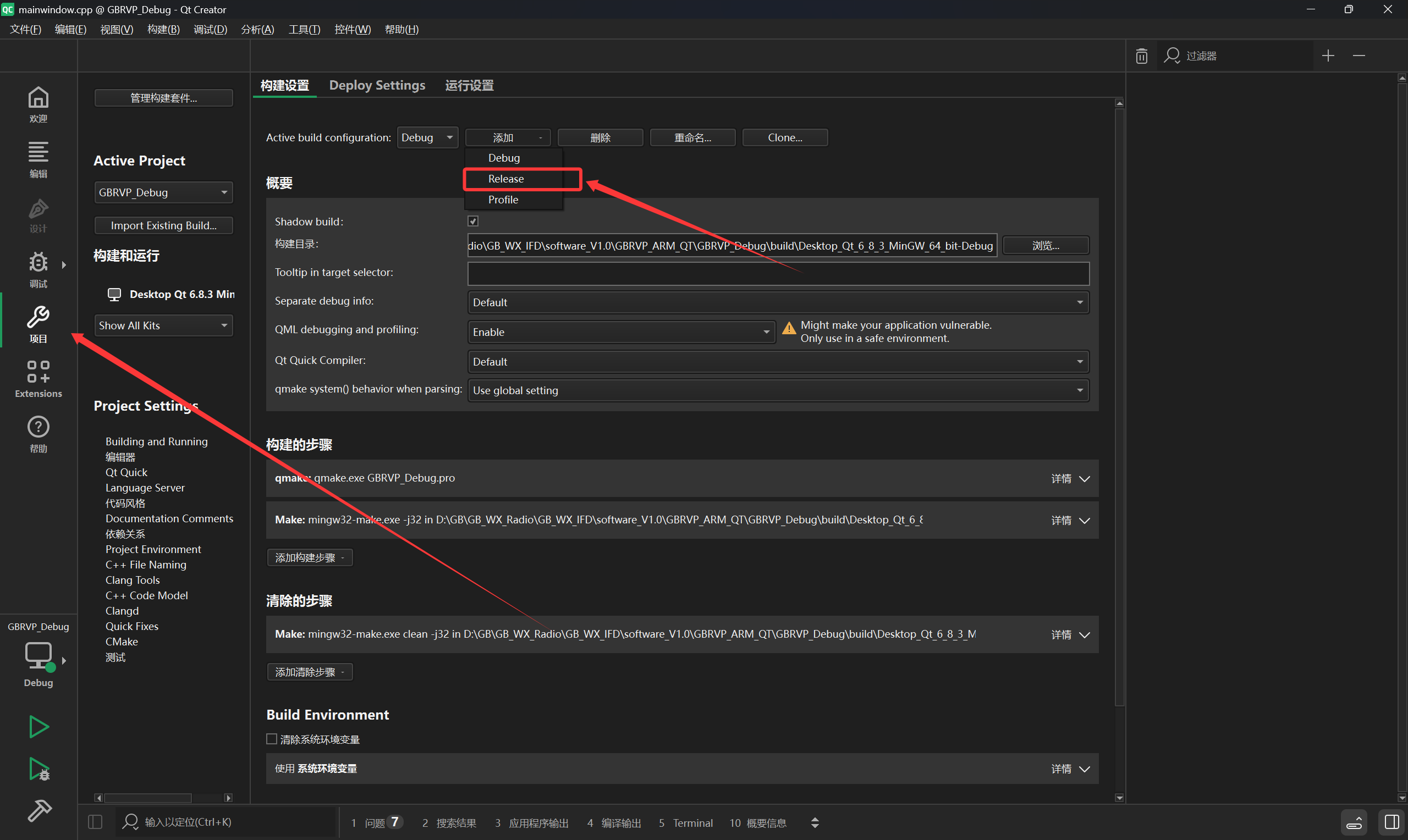
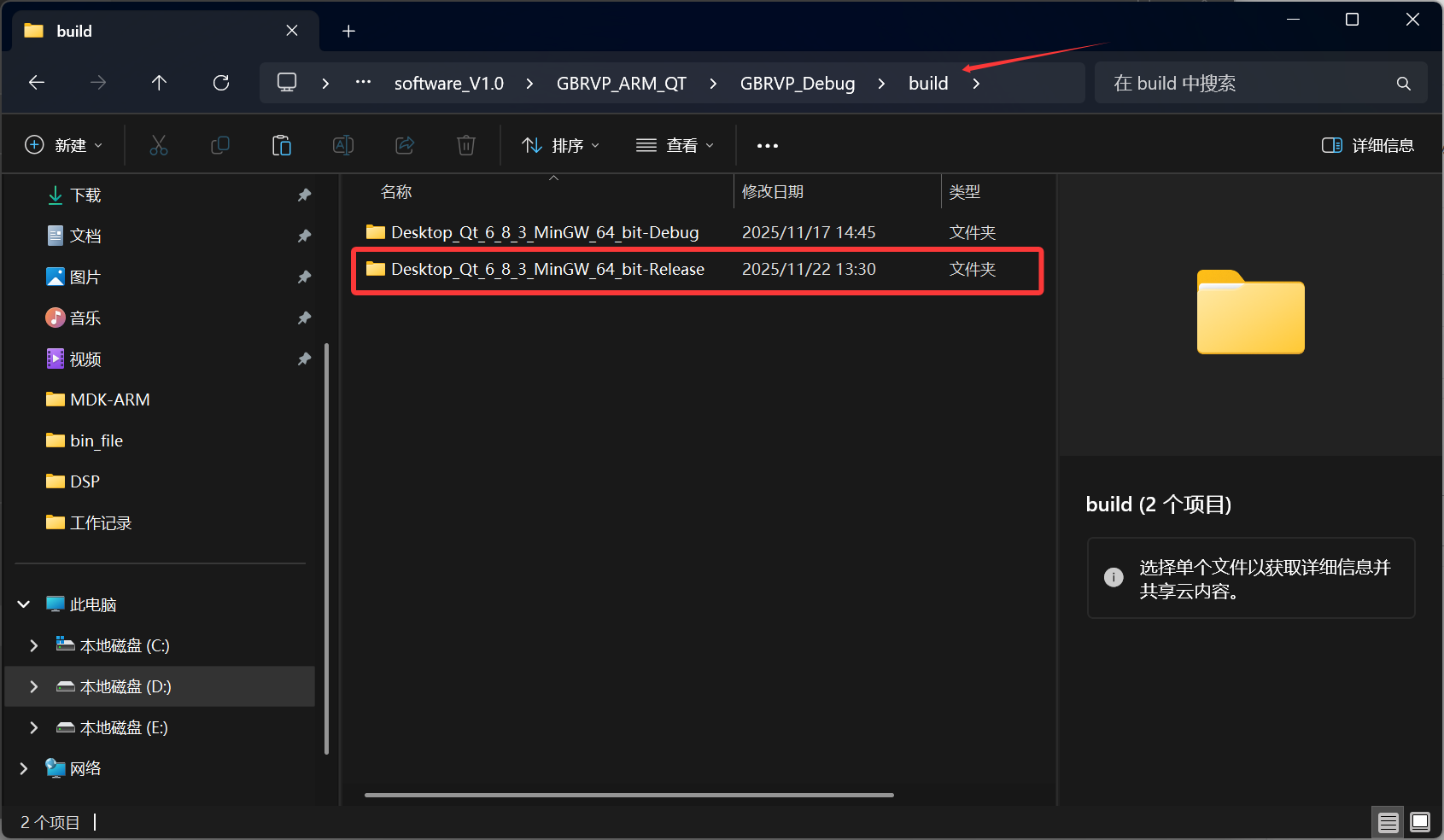
生成完成之后,在relase里有*.exe文件可以直接运行,但会发现运行报错,缺少XXX.dll文件。
这是由于没有将程序所需要的库进行添加到release文件夹下,这时候需要运行Qt 6.8.3 (MinGW 13.1.0 64-bit),并输入指令windeployqt 和ctrl+v你的路径,再\exe文件的名称,用于注入相关缺失的文件
windeployq D:\GB\GB_WX_Radio\GB_WX_IFD\software_V1.0\GBRVP_ARM_QT\GBRVP_Debug\build\Desktop_Qt_6_8_3_MinGW_64_bit-Release\release\GBRVP_Debug.exe
完成后,就可以在release文件下里运行程序了,但脱离了此文件夹就无法运行,因此我们需要再次打包
项目打包至EXE
我们需要下载打包程序:下载地址
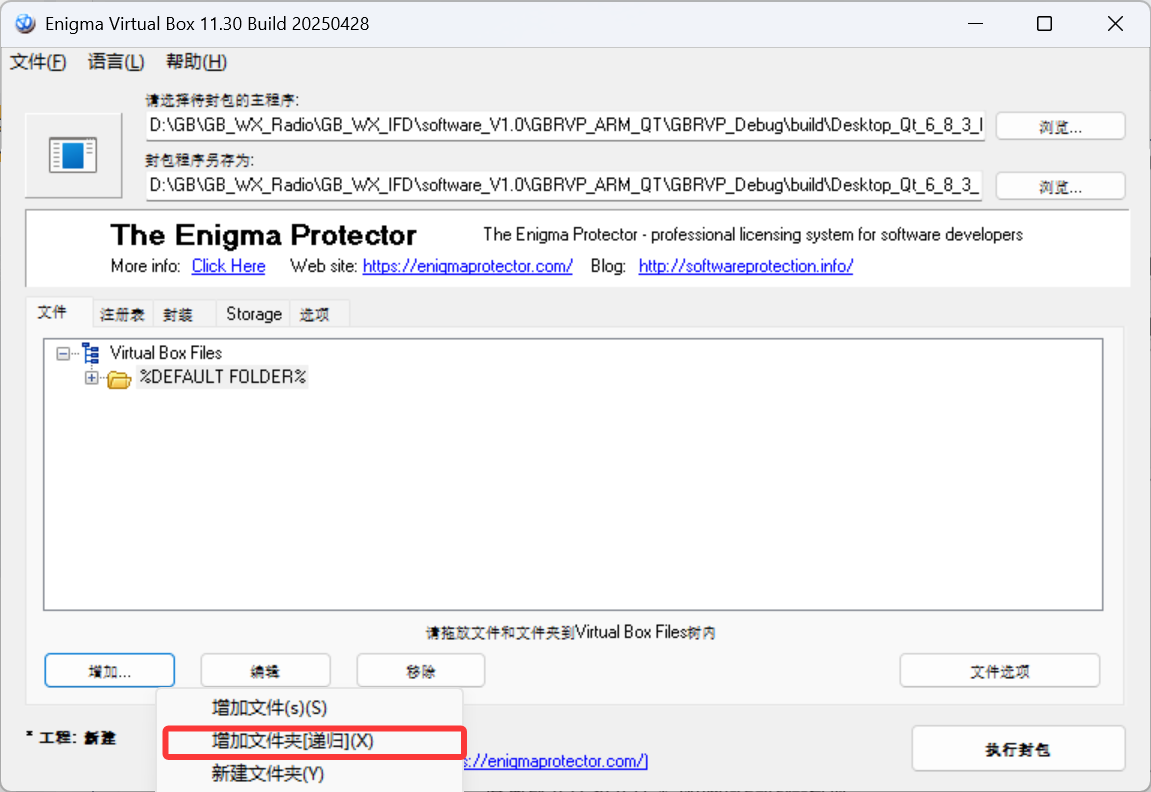
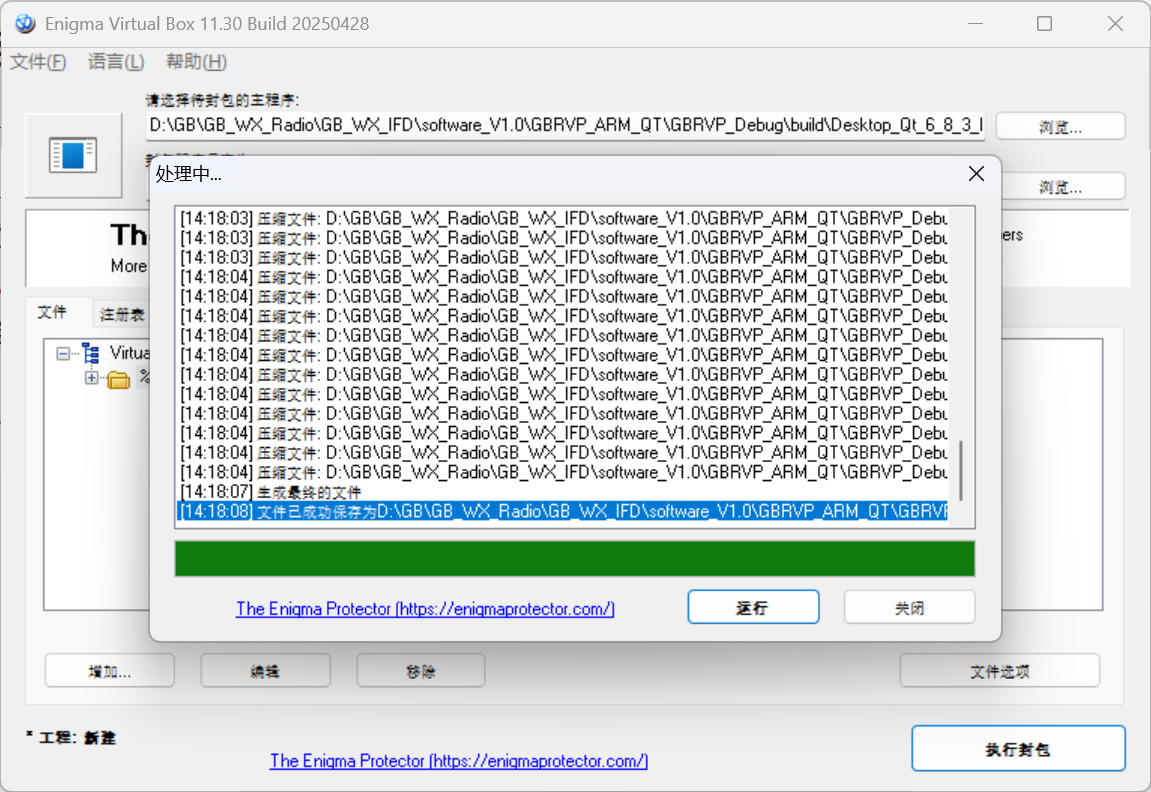
打开文件,添加exe路径和打包路径,继续添加release文件夹(注意:需要用递归的方式添加,否则提升的组件无法包含入库,同样会造成环境缺失),文件夹选项可以勾选压缩文件,可以减小EXE体积,接着执行封包,会在打包路径下(默认是原exe文件同路径),接下来就能发给你的好基友了
更新时间:
